Solutions / Aircraft technical log
Digital aircraft technical log (tech log) for GA and microlights
The technical log is the register of the aircraft: every flight with date, crew, route, times and meter readings. In AVIOFILE you keep it digital, next to maintenance and deadlines, and you log each flight only once.
What an aircraft technical log is
The technical log (called QTB in Italy) belongs to the aircraft, not to the pilot: it collects every flight with the date, the crew, the route, the times, the meter readings and the remarks, and so tells the history of the aircraft. The pilot logbook, instead, belongs to the pilot and collects their flights and hours.
In many flying clubs and groups the technical log is still a paper notebook or a spreadsheet passed from hand to hand: it is hard to read, it gets lost, and the hours that must reach maintenance have to be copied by hand.
One flight, two records, four steps
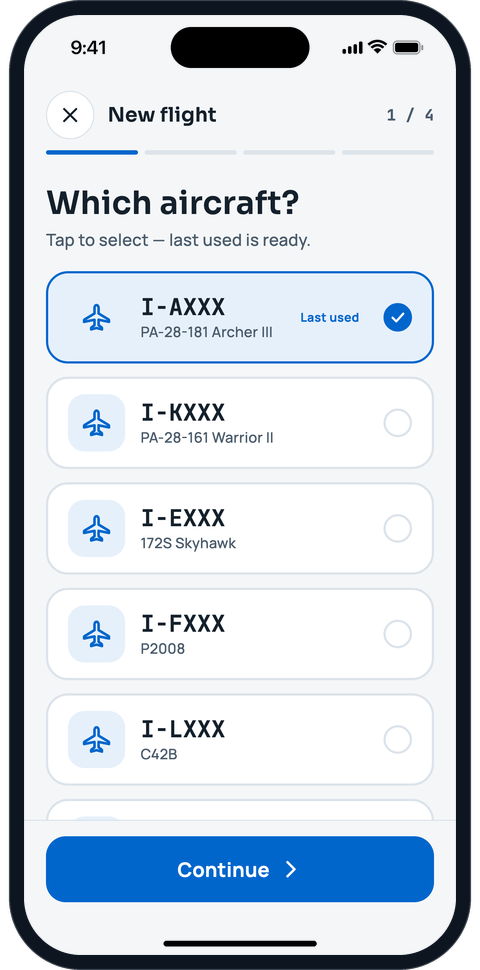
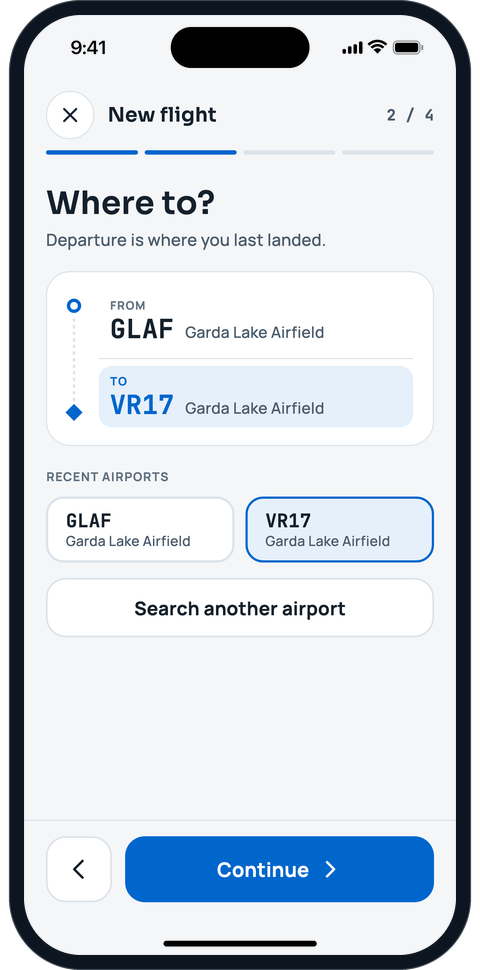
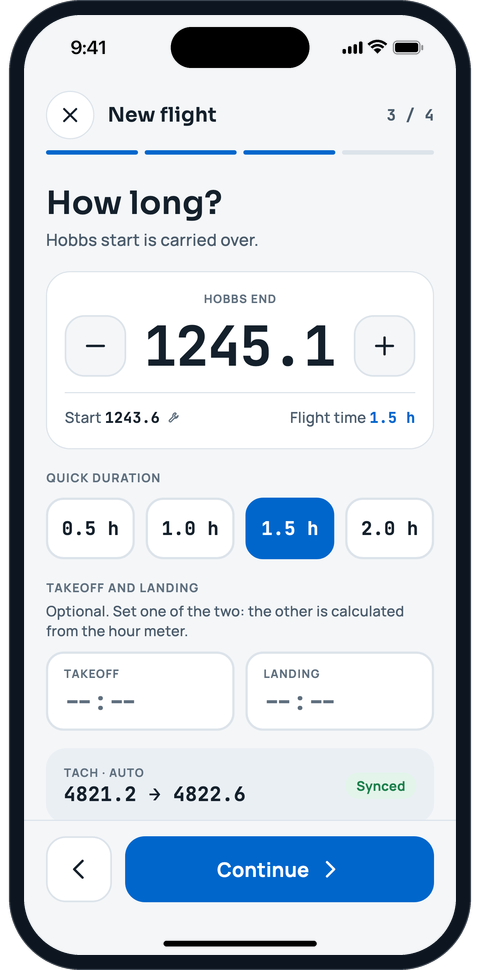
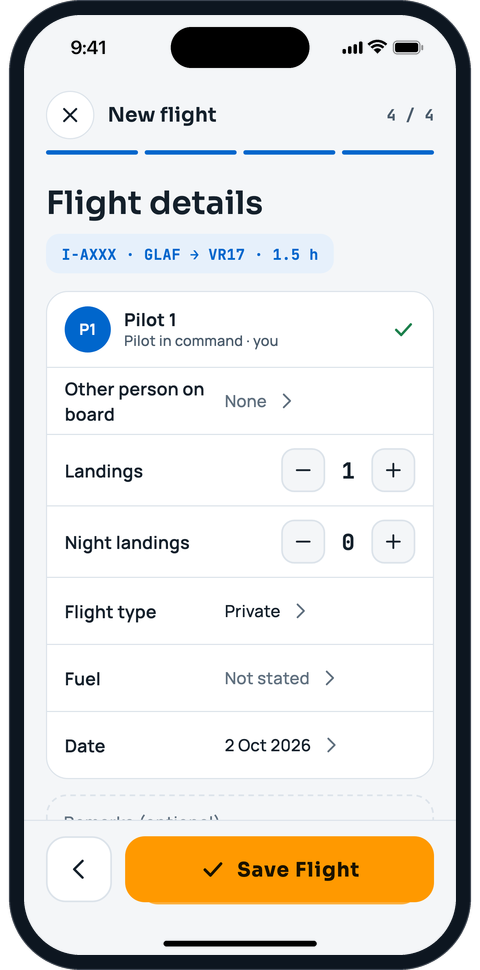
Pick the aircraft, the arrival and the duration, check the details and save. Pilot, Hobbs and tach start carry over from the last flight.
- The same entry goes into your pilot logbook and into the aircraft’s technical log tab: nobody writes twice
- The aircraft’s counters update on their own, and with them the maintenance deadlines
- Wrong Hobbs or airport? Correct or cancel the flight later: the edit history remembers who changed what


Bring the old log into AVIOFILE
On the aircraft’s sheet, in the Tech log tab, tap “Import the technical log”: you can upload up to 20 Excel, CSV, Word or text PDF files, or type the paper log in row by row. Photos and scans are not read: if the log only exists on paper, you type it in.
Before anything is written you see a preview with the flights that go in, the ones already registered and the rows with errors.
- Flights already included in the aircraft counters go in as historical: they add to the history and statistics without changing counters or deadlines
- Importing the same log twice creates no duplicates
- Automatic corrections, for example the Hobbs start taken from the previous flight, can be undone with one tap

People confirm their own flights
Anyone named in a flight recorded by somebody else, from an imported log or by hand, gets a request to confirm it. Until they accept, the flight is not in their logbook, totals or charges; if they do not answer, the flight is accepted on its own after a few days.
A rejected flight stays on the aircraft with the name written in the log, and whoever manages the aircraft finds it among the disputed flights, with the reason.
Defects and maintenance in the same file
Defects written in the log can become squawks on the aircraft, with a severity: a grounding squawk marks the aircraft as unfit to fly until it is resolved, and anyone who books sees the warning. Deadlines by hours or by calendar update with every flight you log.
- On import no squawk is opened by default: you choose which defects to open
- A “technical flight” row stays without a pilot until you say who flew it
- The administrator and the instructor can import and correct everybody’s flights; a co-owner only if it is granted

What AVIOFILE does not replace
AVIOFILE keeps the record digital and helps you not to lose flights, hours and deadlines. Whether a digital record is enough for your obligations, for example as an on-board document, depends on your authority’s rules and your maintenance organisation: ask before you stop filling in the paper. The manufacturer’s manuals and the registers your authority requires always prevail.
Related guides
- Import the technical logBring the technical log (QTB) of an aircraft into AVIOFILE, from a file or by typing it in, and have the people confirm their flights.
- Log a flightLog a flight in four steps, then use your personal logbook, fix or void a flight and export the PDF.
- Add an aircraftRegister your aircraft with registration, model from the catalog, starting counters and main components.
- Maintenance, due dates and defectsKeep the maintenance programme, check what is due, log interventions and report defects on your aircraft.
- DocumentsKeep certificates, insurance, licenses and medicals in one place, with deadlines under control.
Free tools
Frequently asked questions
Is a digital technical log as valid as the paper one?
It depends on your authority’s rules and your maintenance organisation, not on AVIOFILE: ask them before dropping the paper. Meanwhile you can keep the record digital, import the old one and always have flights, hours and deadlines at hand.
Can I import my old paper or Excel technical log?
Yes. Upload up to 20 Excel, CSV, Word or text PDF files, or type the log in row by row; you see a preview before saving and no flight is written twice. Photos and scans are not read.
Does it work for microlights?
Yes. AVIOFILE is made for general aviation and microlights. For Italian-registered ultralights (VDS) with a Rotax 9XX engine there is also the AeCI 2025-01 on-condition extension panel.
Who can write and correct the log?
The administrator and the instructor of the aircraft can record and edit everybody’s flights; a co-owner only if it is granted. Every change leaves a trace in the history, and whoever is named in a flight confirms it from their own logbook.