Solutions / Pilot logbook
Digital pilot logbook for general aviation and ULM
Log a flight once. AVIOFILE updates your pilot logbook, the aircraft's hours and the maintenance deadlines, and keeps your totals, currency and expiry dates in one view.
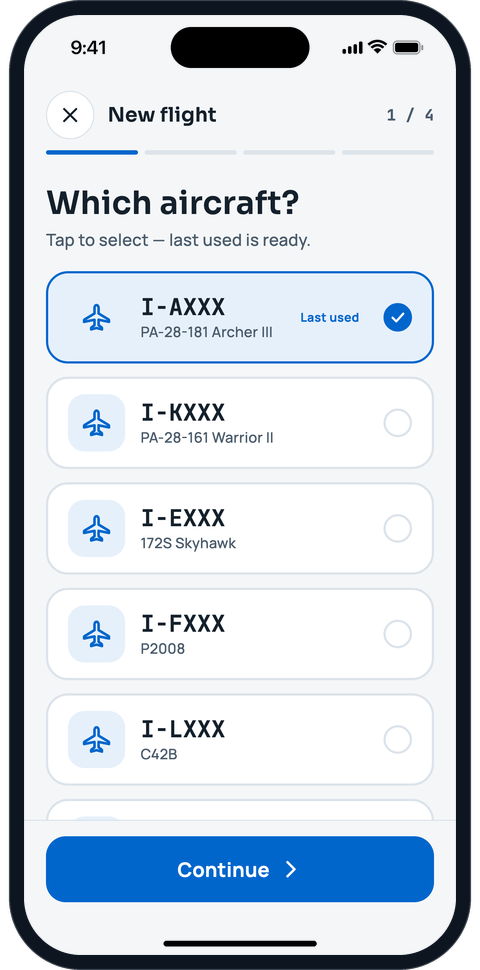
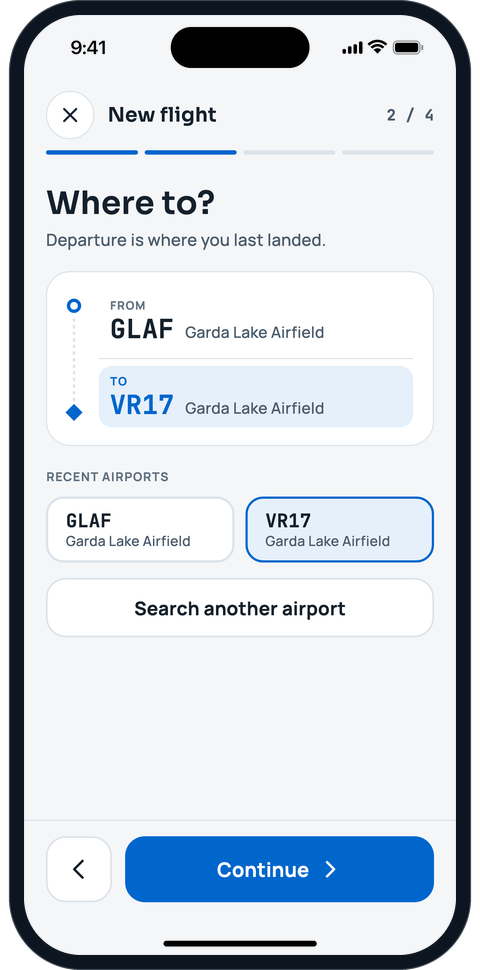
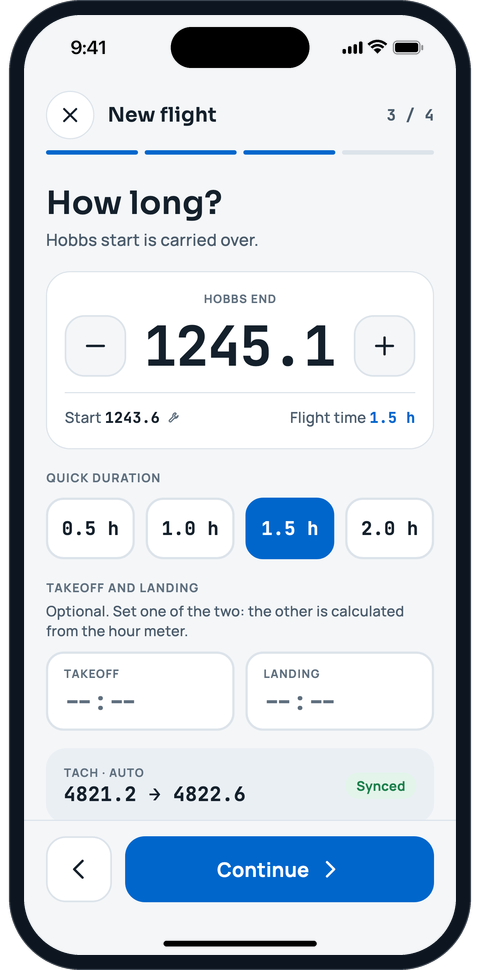
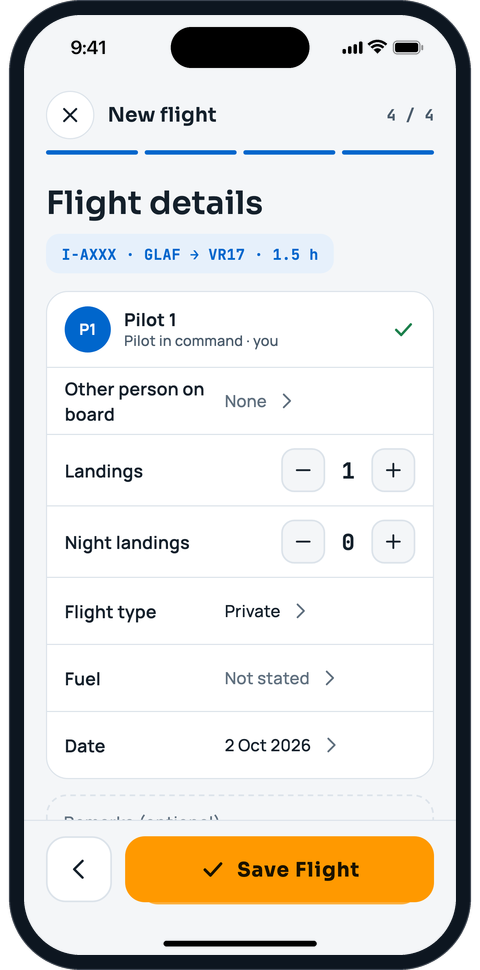
A flight in four steps
Pick the aircraft, choose the arrival, set the duration and check the details, then save. The aircraft you flew last is ready, and the pilot, Hobbs and tach start are carried over from your last flight.
- The same entry goes into your pilot logbook and into the aircraft's technical log: nobody types it twice
- Hobbs and tach counters, aircraft hours and maintenance deadlines update by themselves
- Wrong Hobbs or a wrong airport? Fix or void the flight later: the change history keeps who changed what, and when


Totals, currency and expiry dates
Your personal logbook shows totals and carry-overs, including flights made elsewhere, on aircraft that are not on AVIOFILE and in simulators. Licence, rating and medical expiry dates sit next to each other, with a reminder before they lapse.
- Add flights that are not on AVIOFILE, and an opening balance when you import an existing logbook
- Licence, ratings and medical certificate with their expiry dates
- Reminders in the app and by email before a document expires

Bring your old logbook with you
Switching from another app or from a spreadsheet? Import from MyFlightbook, LogTen, ForeFlight, PILOTLOG or a CSV or Excel file. You see a preview, with the totals checked, and nothing is saved until you confirm.
Yours to export, any time
Export your pilot logbook as a PDF in the EASA or FAA format, or as a CSV, whenever you want. A single export collects your personal data in a ZIP file, and you can close your account yourself.
Your data is stored in the European Union, in Frankfurt, encrypted in transit and at rest.
Related guides
- Log a flightLog a flight in four steps, then use your personal logbook, fix or void a flight and export the PDF.
- Import your logbookBring your flights from an Excel or CSV file, check the preview and import only when you are sure.
- Getting startedSign up, log in, pick your language and learn your way around the Menu, organizations and Home.
- DocumentsKeep certificates, insurance, licenses and medicals in one place, with deadlines under control.
Free tools
Frequently asked questions
What is the difference between a pilot logbook and an aircraft technical log?
The pilot logbook belongs to the pilot: your flights and your hours. The aircraft technical log (the tech log, called QTB in Italy) belongs to the aircraft: every flight with date, crew, route, times and Hobbs. In AVIOFILE you log a flight once and it goes into both. If your technical log is still on paper or in a spreadsheet, you can import or retype it, and the people named confirm their own flights. Whether a digital record satisfies your obligations depends on your authority’s rules: check before you drop the paper.
Can I use AVIOFILE as my official logbook?
AVIOFILE keeps your logbook digitally and exports it as a PDF in the EASA or FAA format. Whether a digital logbook is accepted for a given purpose, such as a licence renewal or a check, depends on the rules of your authority and examiner: ask them before you rely on it.
Can I import the flights I already logged elsewhere?
Yes. You can import from MyFlightbook, LogTen, ForeFlight, PILOTLOG or from a CSV or Excel file, and you see a preview before anything is saved.
Is it only for airplanes?
AVIOFILE is made for general aviation and ULM. Each aircraft has its own profile, with Hobbs and tach counters, components and maintenance deadlines.
Where is my data stored?
In the European Union, in Frankfurt. Data is encrypted in transit and at rest.